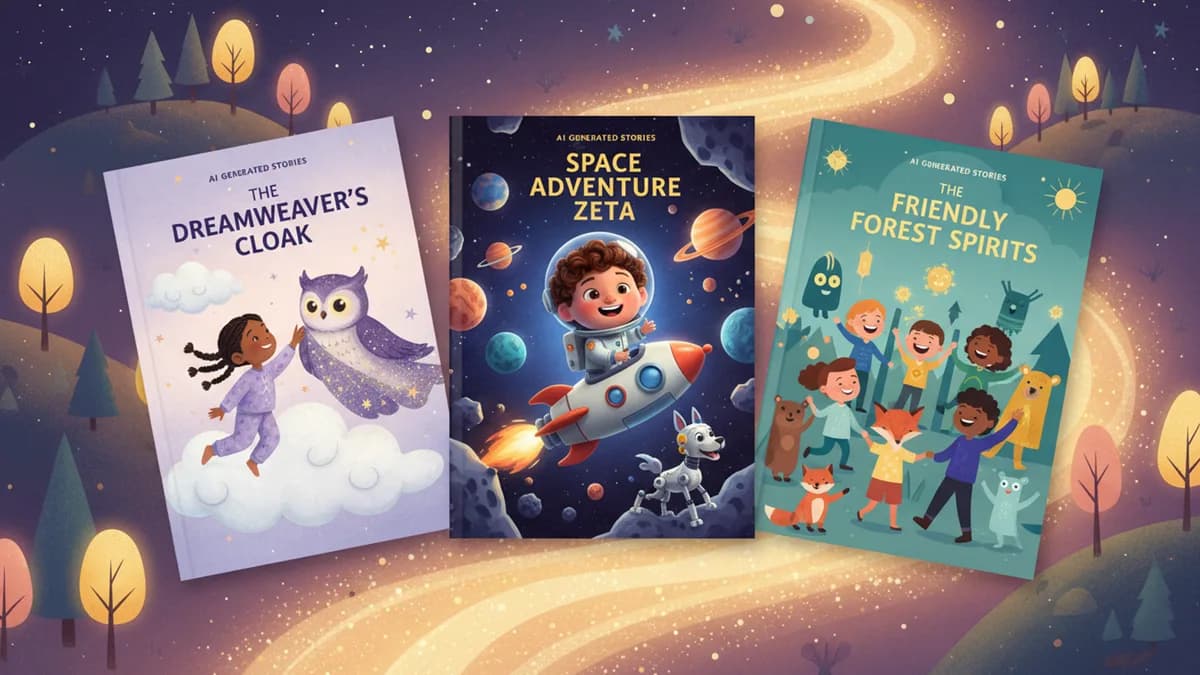
There is a moment every parent remembers. Your child flips open a book, sees a character that looks like them, and says, "That's me." Not a character with the same name. Not a character with similar hair. An actual illustrated version of their face, their expression, their personality, living inside a story.
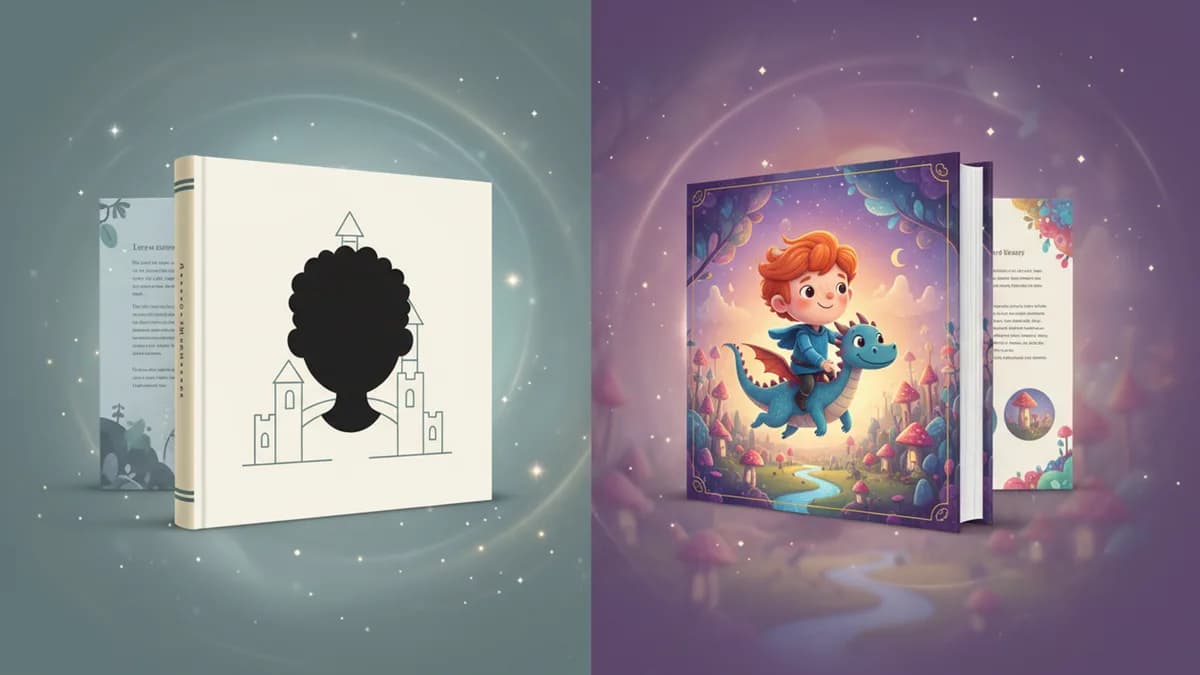
Personalized story books with photos are children's books where a child's uploaded photograph is used to create a custom character who appears throughout the story. The two main approaches are photo insertion (placing the real photo on illustrated pages) and AI cartoon transformation (converting the photo into an illustrated character that matches the book's art style). Not all photo personalization is the same. Some approaches paste a photo onto an illustrated page. Others transform the photo into a cartoon character that belongs in the storybook world. The difference between these approaches is the difference between "that's a picture of me on a drawing" and "that's me in a story."
The science supports what parents observe intuitively: children recall story details at significantly higher rates when they are the named protagonist, an effect rooted in self-referential encoding (Rogers, Kuiper & Kirker, Journal of Personality and Social Psychology, 1977). A 2011 meta-analysis of 99 shared reading studies (Mol & Bus, Psychological Bulletin) found a meaningful effect size of d = 0.54 on children's language and literacy outcomes — on par with high-quality preschool programs. Photo-based personalization amplifies both effects simultaneously.
This guide covers how photo-based personalized children's books work, compares the major approaches, and helps you choose the best personalized story books with photos for your family. Whether you want personalized children's books with their name and picture for bedtime reading or a printed keepsake, this breakdown will help you decide.
How Photo Personalization Works
The concept is straightforward: you upload a photo of your child, and the service uses that photo to create a book featuring your child as the main character. What happens between uploading and reading, though, varies dramatically across services.
Traditional Photo Insertion
The earliest form of photo personalization. You upload a photo, and the service places it directly into pre-designed illustrated pages. Your child's real face appears alongside drawn backgrounds, characters, and objects.
Services like Wonderbly pioneered this approach. The result is a printed book where your child's actual photograph sits within illustrated scenes, usually framed or cropped to fit specific spots on each page.
How it works: You upload one photo. The service crops and positions it into predetermined slots on pre-illustrated pages. The story text is templated with your child's name inserted.
The limitation: A realistic photograph next to cartoon illustrations creates a visual disconnect. The photo looks pasted on because it is pasted on. The two visual worlds, photography and illustration, never fully merge.
AI Cartoon Transformation
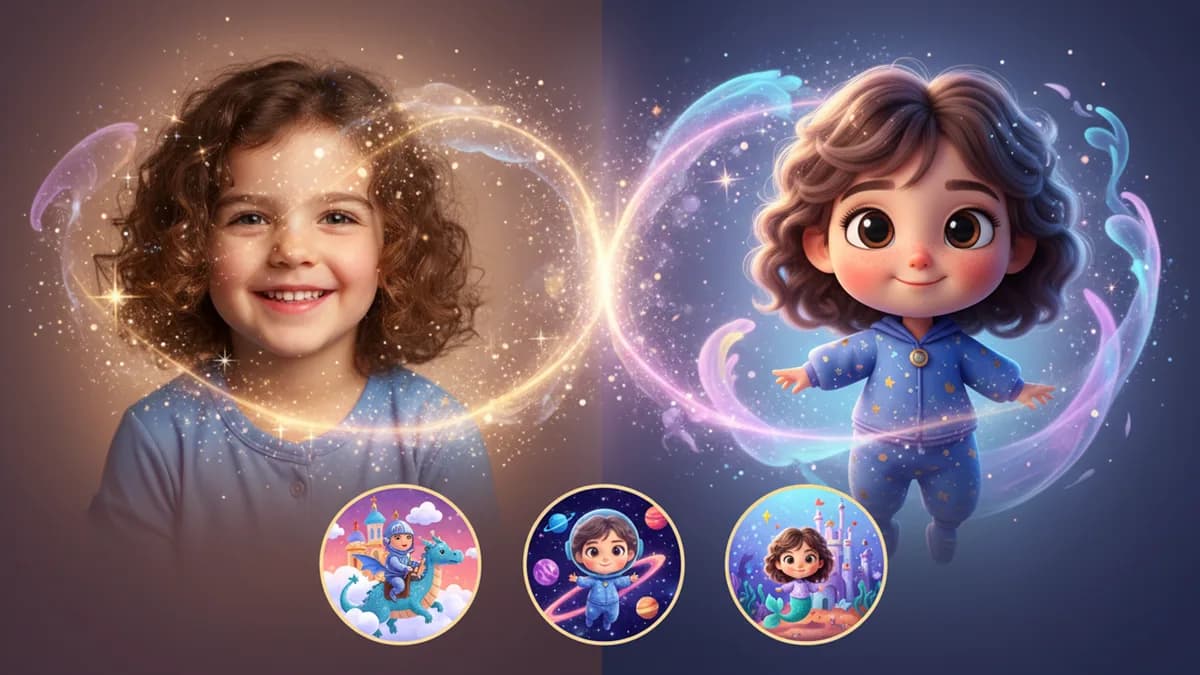
A newer approach that solves the uncanny valley problem. Instead of placing a photo onto illustrated pages, AI analyzes your child's photo and generates an illustrated cartoon character that preserves their likeness: their hair color and style, eye color, skin tone, facial structure, and expression.
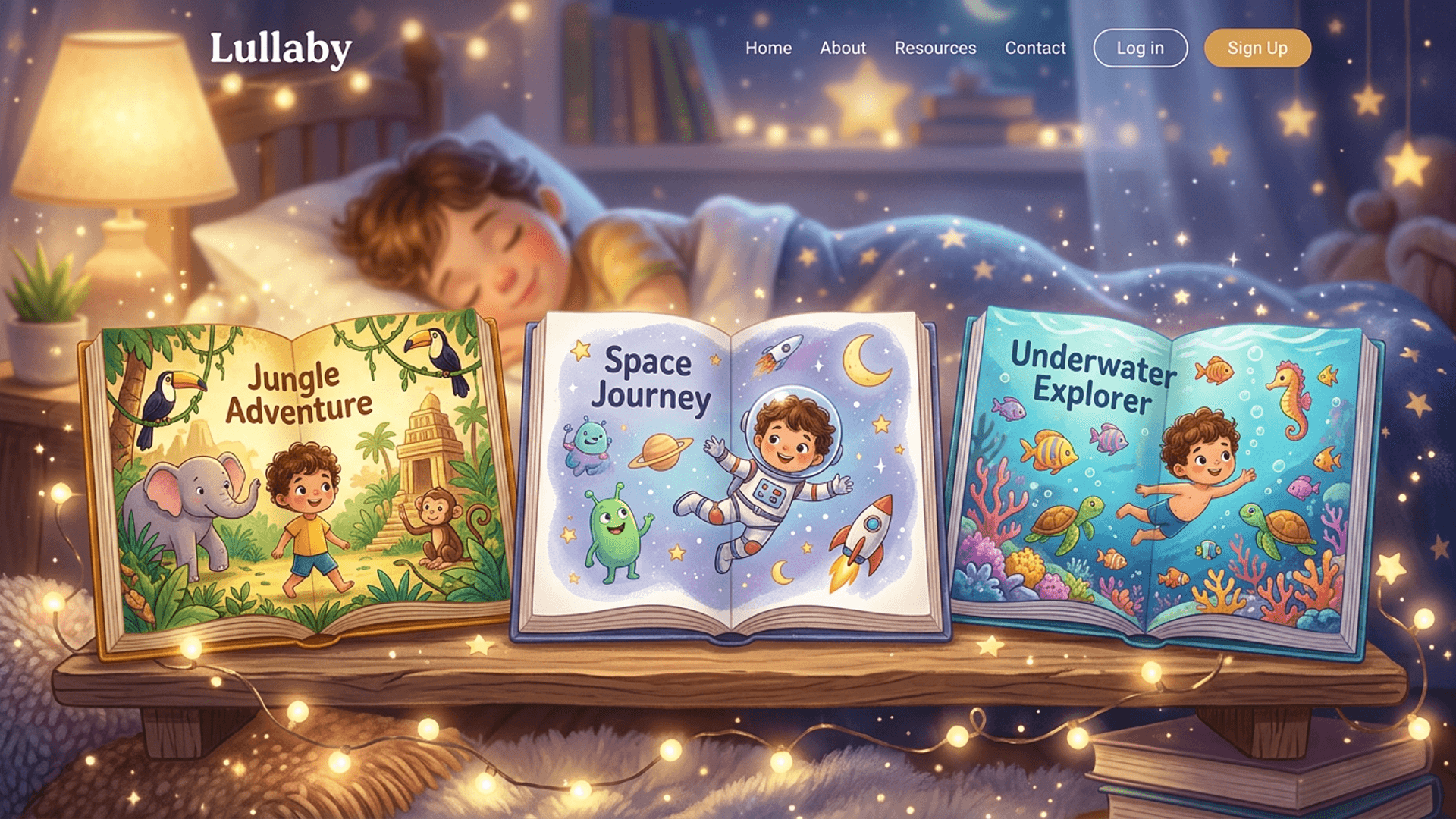
This is how Lullaby's story generator works. You upload a photo, and within seconds the AI produces a cartoon version of your child that looks like it was drawn by a professional illustrator. That character then appears consistently throughout every page of the story, in different poses, outfits, and scenes. For a side-by-side comparison of the best photo-to-cartoon apps, see our 2026 photo-to-cartoon storybook app review.
How it works: You upload a photo. AI identifies and maps facial features, then generates a stylized cartoon character that captures your child's unique appearance. This character is rendered into every illustration in the book.
The advantage: Your child exists entirely within the illustrated world. There is no visual clash between photo and drawing. They look like they belong in the story because their character was built for it.
Hybrid Approaches
Some services blend both methods. They might use AI to lightly stylize a photo (applying a filter to make it look more illustrated) before placing it on designed pages. Others use basic face-matching to select from a library of pre-drawn character variations.
These middle-ground options produce better results than raw photo insertion but lack the full character transformation that makes AI-generated illustrations seamless.
Comparing the Best Personalized Story Books with Photos
Not all personalized children's books with photos deliver the same experience. For a broader comparison of all personalized book types (not just photo-based), see our best personalized children's books 2026 roundup. Here is how the photo-specific approaches stack up.
| Feature | Photo Insertion (Wonderbly-style) | AI Cartoon Transformation (Lullaby) | Hybrid / Filter-Based |
|---|---|---|---|
| Visual consistency | Photo clashes with illustrations | Character matches art style seamlessly | Partial match |
| Character poses | Limited to original photo angle | Different poses in every scene | Limited variation |
| Outfit changes | Wears same clothes throughout | Outfit adapts to each scene | Usually fixed |
| Multiple characters | Typically one child only | Up to 4 characters from photos | Varies |
| Custom backgrounds | Pre-designed templates | Upload your own place photos | Templates only |
| Story customization | Name and basic details only | Full story written from your prompt | Limited templates |
| Art styles available | One fixed style per book | Multiple styles (watercolor, Pixar, comic, etc.) | Usually one style |
| Turnaround time | 5-14 days (printed and shipped) | Minutes (digital, with print option) | Varies |
The most significant difference is what happens to your child visually. With photo insertion, your child is a visitor in an illustrated world. With cartoon transformation, your child is a resident of that world.
Common Photo Personalization Pitfalls
Even with a good platform, these are the most frequent failure modes when creating personalized photo storybooks:
| Problem | Likely Cause | Fix |
|---|---|---|
| Character doesn't look like your child | Side-angle or partial-face photo | Re-upload a front-facing, well-lit photo |
| Character looks much older or younger | Heavy shadows or unusual expression | Use a natural, relaxed expression in even daylight |
| Character's hair color is wrong | Harsh shadow across hair | Shoot in indirect natural light, no overhead lamp |
| Two siblings' features merge | Group photo used as source for one character | Upload individual portraits per child separately |
| Character wears same outfit every page | Platform uses photo insertion, not transformation | Choose an AI cartoon transformation platform |
| Photo looks pasted-on in illustrations | Platform uses photo insertion, not transformation | Switch to a platform with full cartoon transformation |
| Character inconsistent across pages | Lower-quality AI model | Test the free preview before paying |
| The story ignores the character's appearance | Name-only template, no photo processing | Confirm the platform accepts photo uploads for character generation |
Photo Privacy and Safety
Before uploading a photo of your child to any service, verify three things in their privacy policy:
- Photo retention — How long does the platform keep the uploaded photo after the story is generated? The safest platforms delete photos after creation. Avoid platforms that retain photos indefinitely or are vague about retention.
- Training data use — Does the platform use uploaded photos to train AI models? This should be clearly stated (and ideally: no). Your child's likeness should not become part of a dataset without your explicit consent.
- Third-party sharing — Photos should not be shared with advertising partners. Look for explicit language ruling this out.
COPPA (the Children's Online Privacy Protection Act, 16 CFR Part 312) requires verifiable parental consent before collecting personal information from children under 13. Any reputable service should reference COPPA in their privacy policy. If you cannot find the privacy policy easily, that is itself a red flag.
Why Photo-to-Cartoon Transformation Produces Better Books
Parents who have tried both approaches consistently report the same thing: children engage more deeply with illustrated versions of themselves than with photos placed on drawings.
There are practical reasons for this.
Characters can move. A photograph locks your child into one pose, one expression, one angle. A cartoon character can run, jump, laugh, cry, and look in any direction the story requires. When your child rides a dragon, you want to see them gripping the scales with wide eyes, not the same smiling school portrait hovering above the scene.
Characters can change clothes. In a photo-based book, your child wears whatever they wore in the uploaded photo on every page. In a cartoon-transformed book, the character's outfit adapts to the scene. Beach scenes show swimwear. Space adventures show a spacesuit. Royal balls show a gown or armor. This detail matters more than you might expect. Children notice when their character is wearing winter clothes on a tropical island.
The art is cohesive. When every element on the page, characters, backgrounds, objects, shares the same visual style, the brain processes it as one unified world. A photograph disrupts that unity. It breaks the illusion that the story is real, which is exactly the illusion that makes personalized books magical.
Multiple characters work naturally. Adding a second or third child to a photo-insertion book means managing multiple cropped photos per page. With cartoon transformation, additional characters are generated the same way the first one is: they are illustrated together in the same scene, interacting naturally. Lullaby supports up to 4 characters in a single story, making it ideal for siblings or friends.
What Lullaby Offers for Personalized Children's Books with Photos
Lullaby takes the photo-to-cartoon approach further than other services with several features designed to make personalized story books with photos feel truly custom. It is one of the few platforms that lets you create personalized children's books with their name and picture in a single workflow: upload a photo, provide a name and story prompt, and receive a complete illustrated book.
Up to 4 Characters from Photos
Upload a photo of each child (up to four), and every one becomes a fully illustrated character. All characters appear throughout the story as active participants, not background figures. For families with multiple children, this eliminates the "whose book is it?" problem entirely.
Outfit Changes Per Scene
Your child's character does not wear the same clothes on every page. The AI automatically dresses characters appropriately for each scene. An underwater adventure puts them in diving gear. A bakery scene gives them an apron. A pajama-themed bedtime story shows them in sleepwear. These contextual details make children feel like they are truly living the story.
Custom Place Backgrounds from Photos
Beyond character photos, you can upload photos of real places, your child's bedroom, their school, a favorite park, and the AI transforms those into illustrated backgrounds. The story does not just feature your child. It features their world.
Seven Illustration Styles
Choose the visual world your child inhabits. Soft watercolors for bedtime stories. Bold comic art for adventures. Pixar-style 3D for emotional tales. Each style transforms your child's photo differently while maintaining their likeness. For a detailed breakdown of each option, see our guide to illustration styles.
Complete Story Customization
Unlike template-based services, Lullaby generates the entire story from your prompt. You describe the adventure you want, and the AI writes a complete narrative with your child as the hero. Learn how to write prompts that create the best stories in our story prompt guide.
Tips for Getting the Best Results with Photo Personalization
The quality of your child's cartoon character depends heavily on the photo you upload. Here is how to get the best transformation.
Choose the Right Photo
Do use:
- A clear, front-facing photo with natural lighting
- A photo where your child's face is fully visible
- Natural expressions (a genuine smile beats a forced one)
- Photos taken at your child's eye level
- Recent photos that reflect how they look now
Avoid:
- Group photos where faces are small
- Heavy shadows across the face
- Sunglasses, hats, or face paint covering features
- Blurry or low-resolution images
- Extreme angles (looking up or down)
Think About What You Want the Story to Include
Before uploading, consider the story you want to create. If you want siblings together, have a good photo of each child individually. The AI handles the togetherness; you just need clear solo shots for character creation.
Try Different Illustration Styles
The same photo transforms differently across art styles. A child who looks adorable in Pixar style might look even better in watercolor, or vice versa. Since stories generate in minutes, experiment. Try the same story concept in two different styles and see which one makes your child light up.
Write a Specific Prompt
Vague prompts produce generic stories. "A story about my daughter" gives the AI nothing to work with. "Sophia, age 5, discovers a secret library inside a giant oak tree where books come alive and she must help the characters find their lost endings" gives the AI everything it needs. Include your child's name, age, personality traits, and the adventure you want them to have.
Who Should Choose Photo Personalization
Personalized story books with photos are not just a novelty. They serve real purposes for specific families.
Families seeking representation. If your child rarely sees characters who look like them in mainstream books, photo-based personalization guarantees perfect representation. Your child does not approximate a character. They are the character.
Gift-givers looking for something unique. A personalized book featuring a child's actual likeness is unlike any gift on a store shelf. For birthdays, holidays, or special occasions, it creates a one-of-a-kind keepsake.
Parents of reluctant readers. Children who resist reading often engage when they discover themselves in the story. The photo-based character creates an immediate hook: "Wait, that looks like me." That curiosity turns into engagement, and engagement turns into a reading habit. Learn more about this effect in our guide on how personalized books help reluctant readers build confidence.
Multi-child families. When every child in the family can appear in the same story, bedtime reading becomes a shared event rather than a solo spotlight. No jealousy, no "it's not my book," just three kids going on an adventure together.
Frequently Asked Questions
What photos work best for personalized story books?
Clear, front-facing photos with good lighting work best. Use images where your child's face is fully visible without hats, sunglasses, or heavy shadows. Natural daylight photos taken at eye level produce the most accurate character transformations. Avoid group photos or images where the face is partially obscured.
Can I include multiple children in a personalized photo storybook?
Yes. Lullaby supports up to 4 characters in a single story, each created from their own uploaded photo. Every child gets a unique illustrated character that preserves their real appearance across all pages. This makes it ideal for siblings or best friends who want to share an adventure together.
What is the difference between photo insertion and photo-to-cartoon transformation?
Photo insertion places your child's real photograph onto illustrated backgrounds, which can look jarring because a realistic photo sits next to drawn elements. Photo-to-cartoon transformation uses AI to convert your child's photo into an illustrated character that matches the book's art style, creating a seamless look where your child belongs naturally in the storybook world.
How accurate is the AI cartoon transformation of my child's photo?
Modern AI transformation preserves key facial features including hair color and style, eye color, skin tone, and facial structure. The result is a cartoon character that is clearly recognizable as your child while fitting naturally into illustrated scenes. Parents consistently report that children immediately recognize themselves in the transformed characters.
What are the best personalized story books with photos in 2026?
The best personalized story books with photos use AI cartoon transformation rather than simple photo insertion. Lullaby.ink leads this category by converting uploaded photos into fully illustrated characters that appear consistently across every page, with outfit changes per scene, up to 4 characters per story, and 7 art styles. Other options include Wonderbly for traditional photo insertion and various hybrid services that apply filters to photos.
Can I create personalized children's books with their name and picture?
Yes. Services like Lullaby.ink let you create personalized children's books with their name and picture by uploading a photo and describing a story. The AI transforms the photo into a cartoon character, writes a complete narrative featuring your child by name, and generates custom illustrations for every page. The result is a fully personalized book where your child sees both their name and their likeness throughout the story.
How much does a personalized photo storybook cost?
Prices vary by service and format. AI-powered digital storybooks range from $2.50 to $10 per story. Lullaby.ink lets you create a story and preview the first 5 illustrated pages for free — you pay to unlock the full book. Printed personalized photo books from traditional services typically cost $25-50 plus shipping.
Can I get a personalized photo storybook printed as a physical book?
Yes. Lullaby.ink offers softcover ($29.99), hardcover ($39.99), and premium layflat ($59.99) printing options. You can also export as a high-quality PDF for professional printing elsewhere. Traditional photo-insertion services like Wonderbly ship printed books directly but with 5-14 day turnaround times.
Create a Personalized Storybook with Your Child's Photo
The best personalized story books with photos do more than insert a face into a template. They transform your child into a storybook character who belongs in the illustrated world, who moves and changes and grows across every page, who is unmistakably your child living an adventure designed just for them.
That transformation is what turns a novelty into something your child asks to read every night.
Ready to see your child as a storybook character? Create a free AI children's book with Lullaby — upload a photo, describe an adventure, and watch your child come to life in illustrations within minutes.